
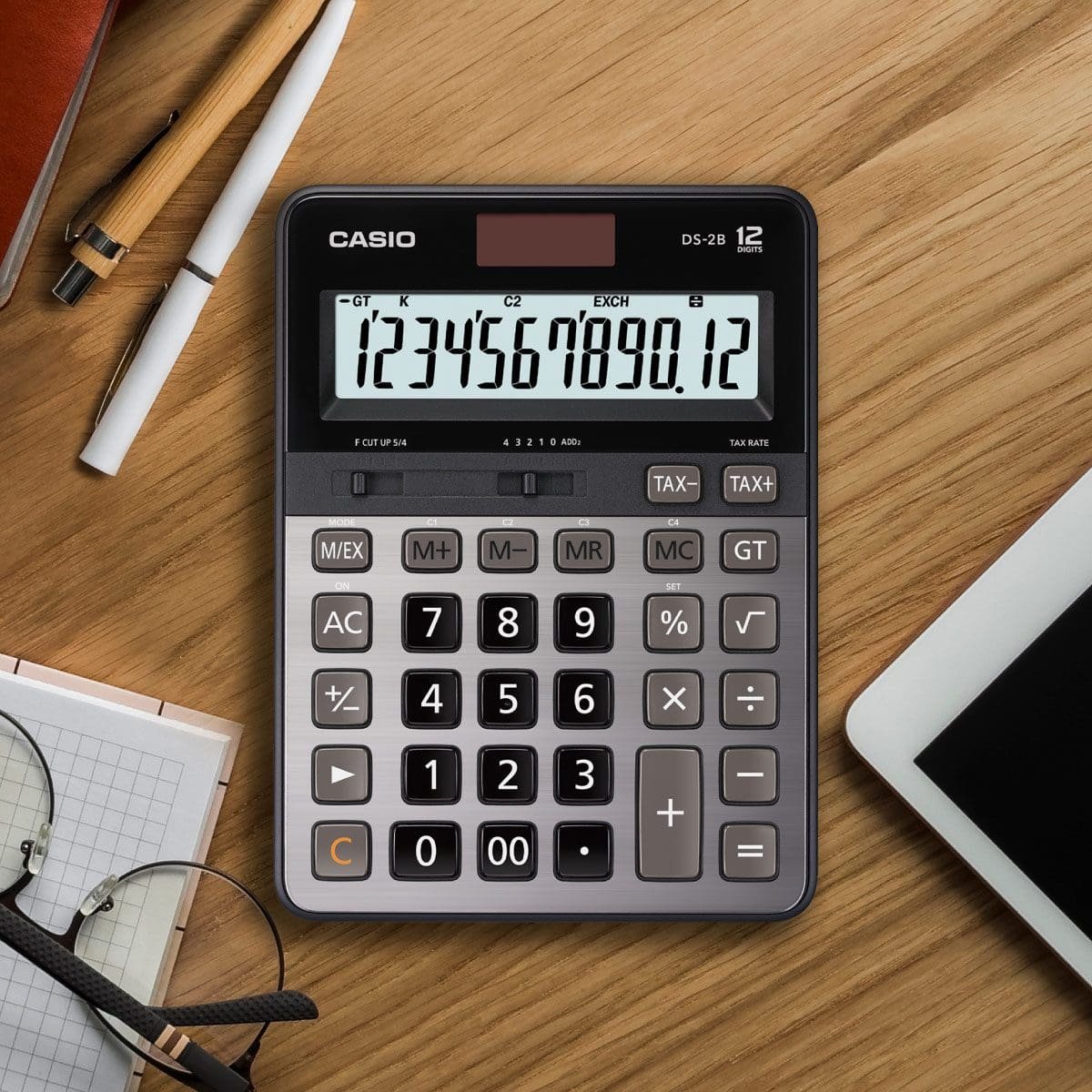
The Innovera 15927 desktop calculator dual power is designed for routine desk-based arithmetic in offices, classrooms and small businesses. Supplier specifications describe an eight-digit LCD display, a tilted viewing angle and a combination of solar and battery power. The listed functions include square root, sign change and percentage calculations, with memory keys also reported by product listings.
This model is best understood as a straightforward office calculator rather than a specialist financial or scientific machine. Its value depends on whether the display, keypad and available functions match the work you actually perform. This guide walks through the specifications, practical use cases and checks to make before ordering the exact model IVR15927.
Identify the Exact Model Before Comparing
Product titles can be shortened by distributors, and calculator model numbers can look similar. Confirm that the item is listed as Innovera 15927 or IVR15927. Compare the SKU, image and technical specification rather than relying on a generic title such as “dual power office calculator.” A retailer may keep a product page active even when stock status changes, so ask whether the item is available for immediate dispatch.
Supplier listings identify the unit as a desktop calculator with an eight-digit LCD. This is a useful baseline for comparison. If your work involves larger numbers, more extensive memory or specialist financial functions, compare other calculators before choosing this model. The number of digits and available keys are more important than a long marketing description.
Eight-Digit LCD Display
An eight-digit display is suitable for many everyday totals, prices and quantity calculations. It can support basic office tasks such as adding invoice lines, calculating a percentage, checking a cash amount or confirming a small-business order total. The screen is angled, which can make the digits easier to read from a seated position at a desk and help reduce glare from overhead lighting.
Display size is still a personal preference. If several people use the same calculator, check whether the digits are large enough for their viewing distance. The product listing describes an approximately 15-millimetre character height, but the angle and lighting in your actual workspace also matter. A large, multi-line calculator may be better when users need to see the original expression and result at the same time.
How Dual Solar and Battery Power Works
The calculator’s dual-power arrangement combines a solar panel with a battery source. Supplier information lists an AAA battery as included. Solar power can assist when the calculator is used in a well-lit area, while the battery provides another source of power when lighting is weak. This combination can be convenient for a desk device that moves between different rooms or counter locations.
Dual power does not mean that the calculator never needs maintenance. Battery performance depends on cell quality, usage and storage. If the screen becomes faint or the unit behaves inconsistently, check the battery installation and instructions. Keep the solar panel clean and avoid covering it with notes or papers. Replace a leaking or damaged battery promptly and dispose of batteries according to local guidance.
Square Root, Sign Change and Percent Keys
The square-root function is useful when a routine calculation requires finding the square root of a number. The sign-change key switches a displayed value between positive and negative. The percent key supports common percentage tasks, such as calculating an amount or checking a discount. These functions can make the device more versatile than a basic four-operation calculator.
Percentage-key behaviour can differ across calculator models. Before using it for a customer invoice or a financial record, test the sequence with a simple example and check the result manually. For example, a 10% discount on an $80 item is $8, leaving a price of $72. Multiplying $80 by 0.90 gives the same result and provides an independent check.
Memory Keys and Multi-Step Work
Some supplier specifications list four-key memory functions. Memory keys can help when a user needs to hold one number while carrying out another calculation. In a small shop, a worker might store a subtotal, calculate a tax estimate or separate line amount, then recall the saved figure. This can reduce repeated typing and help when working with a paper invoice.
Before relying on memory, learn the clear, recall, add-to-memory and subtract-from-memory operations as described in the instructions. A stored value from a previous task can cause confusion if memory is not cleared. For important calculations, write down the figures and the method as well as using the memory feature.
What It Is Not Designed to Do
The Innovera 15927 is positioned as an everyday desktop calculator. Supplier specifications note that advanced functions such as amortization and bond calculations are not included. It is not a graphing calculator, a scientific calculator for advanced coursework or a dedicated financial machine with extensive loan and cash-flow features.
It also does not replace a spreadsheet or accounting system. If your business needs tax-rate records, inventory reconciliation, audit trails, recurring reports or calculations that another employee must review, use software that stores the inputs and method. A desk calculator is useful for quick checks, but it does not provide the recordkeeping functions of a proper business system.
Where the Calculator Can Be Useful
In an office, the unit can handle arithmetic during invoice checking, stationery orders, expense reviews and simple budget calculations. The angled screen can be convenient when the calculator sits beside paperwork or a keyboard. In a retail environment, it can remain near a counter for quick totals or percentage checks when the point-of-sale system does not provide the exact calculation needed.
Students may use a basic calculator for routine number work, but should verify exam rules before taking a particular model into an assessment. Some examinations restrict calculator features or require a specific approved type. A calculator being suitable for everyday schoolwork does not automatically mean that an exam board permits it during an examination.
Desk Size and Placement
Supplier specifications list dimensions of approximately 5.42 by 4.39 by 1.15 inches. Compare these measurements with the available desk or counter space. A desktop calculator should be easy to reach without blocking a keyboard, receipt printer, notebook or other equipment. The keypad should also be accessible from the user’s normal seated or standing position.
Place the calculator on a stable, flat surface. If it moves around when a key is pressed, the user may find it difficult to enter figures accurately. Check the underside and any grip features when the product arrives. Keep it away from food spills, cleaning liquids and direct heat sources.
Using It for Discounts and Business Checks
Percentage calculations are common in retail and office work. A calculator can help check a discount, markup or share of a total, but employees should understand whether they are calculating a percentage amount or a final percentage-adjusted price. For example, a 15% discount is not the same as multiplying the original amount by 1.15; the first reduces a price, while the second increases it by 15%.
When calculating multiple invoice lines, add the amounts carefully and verify the final total against the source documents. A calculator helps with arithmetic but cannot confirm that the correct price, quantity or tax rule was entered. Use the same rounding method as the accounting or point-of-sale system and follow your organization’s procedures for financial records.
Battery Care and Troubleshooting
If the display appears blank, first check that the calculator is receiving enough light for its solar feature and that the battery is installed with the correct polarity. Replace the battery only with the type specified by the product instructions. If a new battery does not resolve the issue, consult the retailer or manufacturer rather than opening the casing and attempting an unapproved repair.
Clean the screen and keypad gently with a soft cloth. Do not spray cleaning liquid directly onto the unit, and do not allow moisture to enter around the keys. Keep the calculator away from excessive heat and from loose objects that could scratch the display. If the device will be stored for an extended time, check the battery periodically.
Warranty, Returns and Supplier Checks
One supplier listing states a manufacturer’s limited one-year warranty. Warranty terms may depend on the retailer, country, purchase date and proof of purchase. Verify the policy on the seller’s current page and keep your invoice. Ask whether the calculator can be returned if the display or keypad is defective or if the delivered model does not match the listing.
Retail pages can contain old product details, and prices may be hidden behind business-account login. Confirm the final price, stock, dispatch time, delivery cost and return conditions with the seller. A clear invoice should identify the item number, quantity and warranty coverage.
How to Compare Alternatives
Compare the Innovera model with other desktop calculators by looking at digit count, character size, display angle, memory, power source, key spacing and any extra functions you require. A calculator with 10 or 12 digits may be better for larger totals. A model with tax keys or a grand-total feature may suit a cash desk. A scientific calculator may be necessary for higher-level mathematics.
Test the keypad feel where possible. If staff enter numbers frequently, key spacing and feedback can affect speed and error rates. Check whether the model has a clear-entry or backspace feature; the supplier listing for IVR15927 does not indicate a backspace key. If correcting one digit without clearing the entire entry is important, consider another model.
Buying Checklist
- Confirm the SKU is IVR15927 / Innovera 15927.
- Verify the eight-digit display and actual digit size.
- Check the included AAA battery and solar panel operation.
- Confirm the functions you need, including memory and percent.
- Check return terms and written warranty coverage.
- Consider whether eight digits are sufficient for your typical calculations.
Frequently Asked Questions
Does the Innovera 15927 use solar power?
Yes. Supplier specifications describe dual solar and battery power, with an AAA battery listed as included.
How many digits does the display show?
The model is listed with an eight-digit LCD display. That is suitable for many routine tasks but may be limiting for longer values.
Does it include a square-root function?
Yes. Product specifications list square root, sign change and percent functions. Confirm the actual key layout when the unit arrives.
Is it suitable for business bookkeeping?
It can help with quick calculations and checking totals, but it does not replace accounting software, source documents or an audit trail.
What battery does it use?
Supplier information specifies an AAA battery. Check the instruction sheet and packaging supplied with your item before replacing it.
Does it calculate loan amortization?
No. The supplier listing notes that amortization and bond calculations are not included. A dedicated financial calculator is more suitable for those tasks.
Conclusion
The Innovera 15927 is a simple desk calculator intended for everyday arithmetic. Its eight-digit angled LCD, dual solar and AAA battery power, square-root, sign-change and percent functions provide a useful set of basic tools for office and home use. It is not designed for advanced financial or scientific work, so compare its limits with your actual requirements. Confirm the exact item number, stock, warranty and return terms with the retailer before ordering. The Guernsey IVR15927 listing provides one supplier reference for the stated specifications.
